Screenleap
插件截图
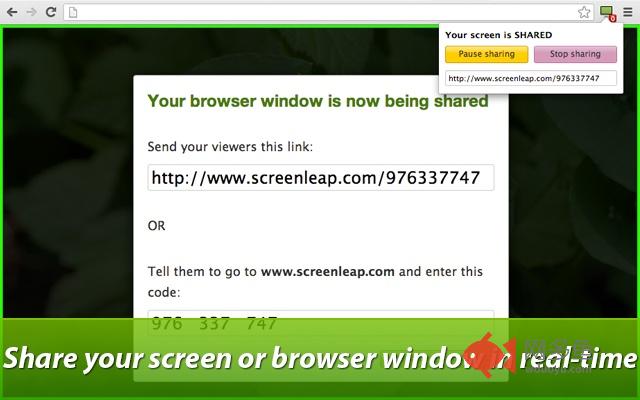
插件概述
All-in-one tool for sharing your screen and taking screenshots插件详情
ALL-IN-ONE TOOLShare the contents of your browser window using the method that makes the most sense: share live using browser sharing or take screenshots, mark them up, and share them with others using the screenshots tool.
SCREEN SHARING
Start sharing your screen or browser window in two seconds with two clicks. Your viewers can view using any web browser. Browser sharing also works on Chromebooks.
GMAIL INTEGRATION
Start a screen share directly from your Gmail compose window. Clicking the Screenleap icon will start the screen share and automatically insert the share link into your email message.
SCREEN CAPTURE UTILITY
Take a screenshot of any web page without leaving your browser. You can capture the whole browser window or a specific region.
BUILT-IN IMAGE EDITOR
Mark up your screenshots using our built-in drawing tools. Add lines, arrows, shapes, and texts directly to your screenshots.
CLOUD STORAGE
Access your screenshots from any computer with an Internet connection.
PUBLIC SHARING
Publish your screenshots to your own public Twitter-like feed that other people can follow.
GROUP SHARING
Share your screenshots privately with a group of people. Group sharing makes it easy for your team to share information with each other and to provide feedback.
AUTO-SAVED SOURCE URL
Source url makes it easy to remember where a screenshot was taken so you can return to it later.
★★★★★ Press ★★★★★
TechCrunch
"ScreenLeap works great!"
The Next Web
"I'm a big fan of services on the web that don't require me to sign up or install any software. YC company Screenleap fits the bill on both of these things."
CNET
"ScreenLeap offers a super easy way to share your screen to any device, or look at someone else's shared screen."
Lifehacker
"Just when you thought there were plenty of free web services that allow you to easily share your desktop with others, new webapp Screenleap simplifies screen sharing even further."
其他信息
官方唯一标识:hpcipbhe****************hdeeffbg
官方最后更新日期:2019年6月28日
分类:社交与通讯
大小:503KiB
版本:16.9.7
语言:English (United States)
提供方:screenleap.com
星级:3.6
插件下载
| 下载链接一 下载链接二 |
| Chrome插件离线安装教程 |
温馨提示
本站中的部份内容来源网络和网友发布,纯属个人收集并供大家交流学习参考之用,版权归版权原作者所有。
如果您发现网站上有侵犯您的知识产权的作品,请与我们取得联系,我们会及时修改或删除。
如果您觉得网多鱼对您有帮助,欢迎收藏我们 Ctrl+D。