Qrop: Capture the Web
插件截图
插件概述
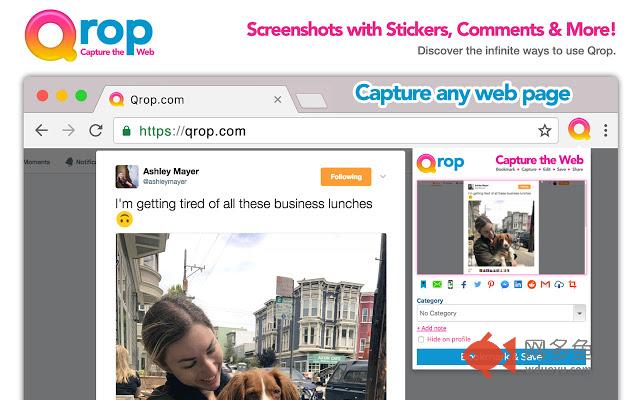
Visually bookmark, capture, edit & share screenshots from around the web instantly. Now with Stickers & Comments!!!插件详情
Qrop is a camera for the web. Our extension allows you to screenshot your current website to visually bookmark, edit, crop, save & share instantly.New: Embed screenshots on any website or blog. Works on Wordpress, Tumblr, Medium and all other website editors. Just copy & paste the embed code into your websites code.
✓ Add Stickers, draw, highlight or write on top of your screenshot.
✓ Add floating comments to highlight certain elements and add your thoughts.
✓ Share on Facebook, Twitter, Pinterest, Reddit, LinkedIn, Gmail instantly.
✓ Send to any email address instantly in the extension dropdown.
✓ Text to any phone number instantly in the extension dropdown.
✓ Make your screenshots private and only visible to whomever you share them with.
✓ Bookmark & Save for later editing or reading.
✓ Upload screenshots from your phone or computer.
✓ Categorize into custom categories.
✓ Organized by url to be found later.
✓ Instantly download screenshots to your computer for local editing with one click.
✓ Instant click to copy screenshot to your clipboard or save locally or copy & paste anywhere.
✓ Embed your screenshot on any webpage or blog.
Qrop wants to be the easiest & fastest way to capture a screen for editing or sharing instantly.
其他信息
官方唯一标识:lbbamifi****************nahfphbc
官方最后更新日期:2017年7月24日
分类:社交与通讯
大小:106KiB
版本:1.1.0
语言:English
提供方:qrop.com
星级:3
插件下载
| 下载链接一 下载链接二 |
| Chrome插件离线安装教程 |
温馨提示
本站中的部份内容来源网络和网友发布,纯属个人收集并供大家交流学习参考之用,版权归版权原作者所有。
如果您发现网站上有侵犯您的知识产权的作品,请与我们取得联系,我们会及时修改或删除。
如果您觉得网多鱼对您有帮助,欢迎收藏我们 Ctrl+D。