Enjay Phone - SIP Client for Asterisk/Synapse
插件截图
插件概述
No need of costly IP Phone or Soft-phone. Now you can use this Free SIP phone right from your Chrome Browser, any Operating System.插件详情
Most versatile and comprehensive Chrome SIP Client to connect to your Asterisk Server (or Enjay Synapse Telephony Servers or Enjay Cloud Telephony). Enjay Phone is a WebRTC based SIP Client, which allows you to make calls through your browser. Works perfectly well for any Desktop based Operating system (eg: Windows, Mac, and Linux).Enjay Phone is a Web-based SIP Client, which can replace your IP Phone or Softphone and work directly from your browser. Imagine handling calls directly from your browser, without any other equipment or software. Supports Click to call and Call Popup using Enjay CRM.
How it works:
1. Install Enjay Phone in your chrome.
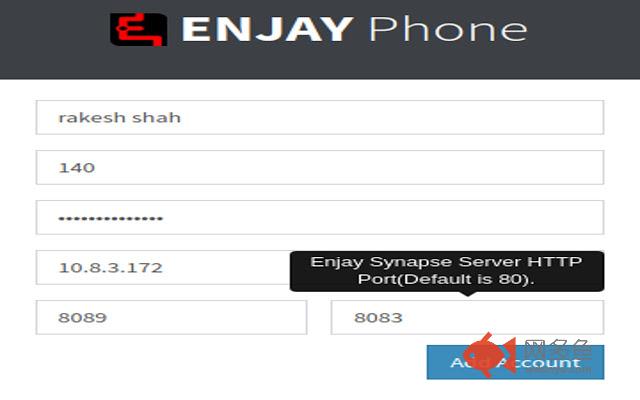
2. Configure it with Credentials and connect it to your Asterisk (or Enjay Synapse) Server.
3. Enjay Phone Icon appears on your Browser top right side.
4. Click on it to dial the phone call
5. You get a Notification when someone calls you.
Detailed Features:
1. Incoming Calls.
2. Outgoing Calls.
3. Call Hold/Unhold
4. Call Mute/Unmute
5. Blind Transfer
6. Attended Transfer (Works with Enjay Synapse)
7. Multi-Party Conference (Works with Enjay Synapse)
8. Call Hang-up
9. Call History (Works with Enjay Synapse).
Compatible with:
Chrome Browser Version 60 and above.
Any Asterisk Version 11.0 and above.
Just create extensions in the Asterisk .conf file
Asterisk should have an SSL certificate (self-signed or otherwise).
其他信息
官方唯一标识:geokmjkh****************meebjeha
官方最后更新日期:2019年3月8日
分类:社交与通讯
大小:5.6MiB
版本:1.1.10
语言:English (United States)
提供方:none
星级:4.7
插件下载
| 下载链接一 下载链接二 |
| Chrome插件离线安装教程 |
温馨提示
本站中的部份内容来源网络和网友发布,纯属个人收集并供大家交流学习参考之用,版权归版权原作者所有。
如果您发现网站上有侵犯您的知识产权的作品,请与我们取得联系,我们会及时修改或删除。
如果您觉得网多鱼对您有帮助,欢迎收藏我们 Ctrl+D。