Edge URL Shortener
插件截图
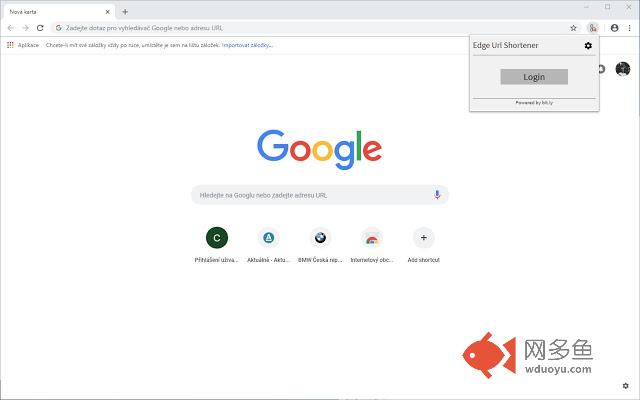
插件概述
Easily shorten your URLs插件详情
This extension enables you to quickly and easily shorten URLs.Once installed, just right click anywhere in the page to shorten your current URL or right click on a supported element (images, hyperlinks) to shorten their respective URL directly. Furthermore, you can optionally login to bit.ly which enables additional features! (not required to shorten links!) Like shortening via bit.ly, so you can see the links you have shortened either on bit.ly or directly in the extension's UI!
Features:
- Hyperlink shortening
- Image link shortening
- Customization via a settings panel
- Current URL shortening in context menu or by clicking the extension's icon* (see note below)
- Anonymous shortening using tinyurl.com
- Shortening through bit.ly (requires bit.ly login)
- View previously shortened links (requires bit.ly login)
We use the latest technology to login to bit.ly (oAuth 2.0) which ensures security of your login credentials by using bit.ly's portal to enable access to our extension. We have no access to your password or e-mail in any shape or form.
*Automatic URL shortening via icon:
- Must be enabled in settings
- Once enabled, the extension's UI will not be available, to restore it you must right-click the extension's icon and choose the option to disable automatic shortening
其他信息
官方唯一标识:kphpbojg****************ndnhpedp
官方最后更新日期:2018年10月14日
分类:社交与通讯
大小:131KiB
版本:1.3.1
语言:支持6种语言
提供方:none
星级:5
插件下载
| 下载链接一 下载链接二 |
| Chrome插件离线安装教程 |
温馨提示
本站中的部份内容来源网络和网友发布,纯属个人收集并供大家交流学习参考之用,版权归版权原作者所有。
如果您发现网站上有侵犯您的知识产权的作品,请与我们取得联系,我们会及时修改或删除。
如果您觉得网多鱼对您有帮助,欢迎收藏我们 Ctrl+D。