Delete Facebook Messages
插件截图
插件概述
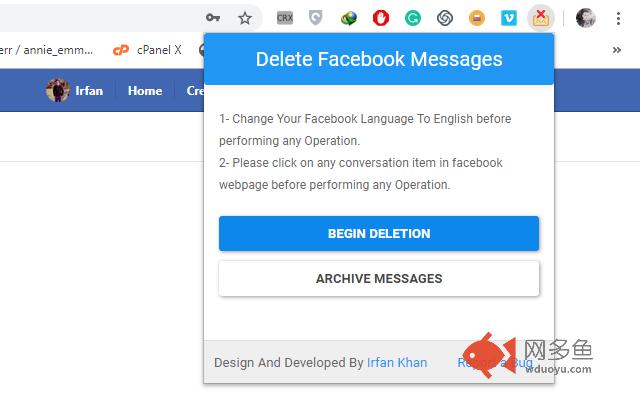
This extension allows you to delete or archive all of your facebook messages in one click.插件详情
1- Install Delete facebook messages extension for your chrome browser.2- Go to https://www.facebook.com/messages.
3- Click on Delete facebook messages extension icon.
4- Click on "Begin Deletion" to delete all your messages.
5- Click on "Archive Messages" to archive all your messages.
Note: Please change your Facebook language to English before performing any operation.
Support: Feel free to contact us if you find any bugs or have any suggestion.
Email: Irfank824@gmail.com
其他信息
官方唯一标识:idoljmjd****************hkijoobi
官方最后更新日期:2019年5月29日
分类:社交与通讯
大小:149KiB
版本:1.2
语言:English
提供方:none
星级:5
插件下载
| 下载链接一 下载链接二 |
| Chrome插件离线安装教程 |
温馨提示
本站中的部份内容来源网络和网友发布,纯属个人收集并供大家交流学习参考之用,版权归版权原作者所有。
如果您发现网站上有侵犯您的知识产权的作品,请与我们取得联系,我们会及时修改或删除。
如果您觉得网多鱼对您有帮助,欢迎收藏我们 Ctrl+D。