Connect Me for Gmail™
插件截图
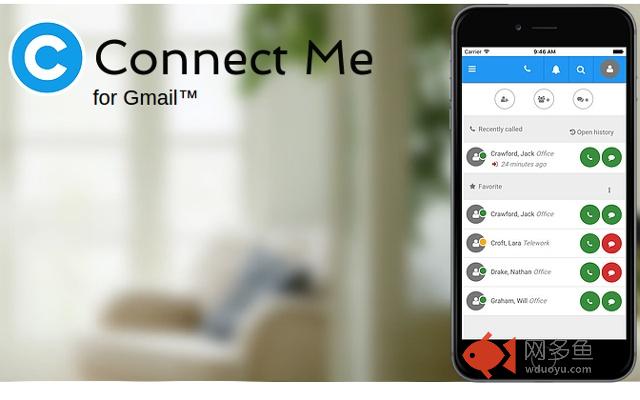
插件概述
Call using your regular business or private number from Gmail™ through a SIP account插件详情
USE YOUR BUSINESS OR PRIVATE NUMBER TO CALL THROUGH GMAILReceive the calls on your regular business and private numbers directly in Gmail
Place calls directly by clicking on phone numbers in Gmail contacts and mail in order to use your regular business or private numbers.
PERFECTLY INTEGRATED WITH THE ENTERPRISE COMMUNICATIONS ENVIRONMENT
Connect Me is compatible with most Cloud UC and enterprise UC platforms. Besides acting as a standard SIP softphone, Connect Me also enriches the IP PBX (Cisco, Avaya, Alcatel, Skype for Business, Mitel, Asterisk...), and UC platforms with features like Video and Messaging.
Support call over internet or use your regular desk phone.
Integrate with your PBX directory including presence.
Add optionally chat, video and screen sharing.
HOW TO ACTIVATE?
1. Install the Chrome extension.
2. Request and configure a Connect Me URL access to your Connect Me provider (ex: www.fuzer.net)
2. Click on account Connect Me for Gmail near the chrome menu
3. Fill your URL. (ex: https://escaux.connect.fuzer.net)
4. Indicate which short numbers must be considered as short extensions (ex:90X,55X,54X,56X)
5. Indicate your country
6. Log in gmail.
其他信息
官方唯一标识:paegkagf****************flbhopgk
官方最后更新日期:2019年3月8日
分类:社交与通讯
大小:128KiB
版本:1.4.1
语言:English
提供方:none
星级:4.8
插件下载
| 下载链接一 下载链接二 |
| Chrome插件离线安装教程 |
温馨提示
本站中的部份内容来源网络和网友发布,纯属个人收集并供大家交流学习参考之用,版权归版权原作者所有。
如果您发现网站上有侵犯您的知识产权的作品,请与我们取得联系,我们会及时修改或删除。
如果您觉得网多鱼对您有帮助,欢迎收藏我们 Ctrl+D。