Amiba Cloud Extension
插件截图
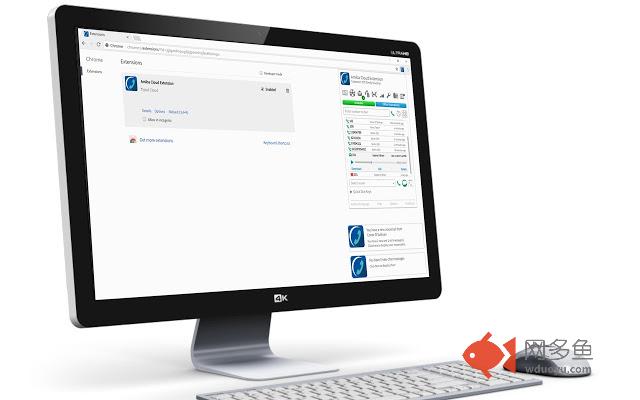
插件概述
Used with your Amiba Cloud PBX to receive call-, voicemail- and chat messages, and Click2Dial from any webpage.插件详情
Amiba Cloud Extension.Notifications:
Receive pop-up notifications for
- Incoming calls (with click to answer or reject),
- Incoming Chat messages (with click to replay),
- New Voice mail messages (with click to play the message).
POPUP Menu
Clicking on the Browser icon will display the POPUP Menu. Which allows you to:
- Open Your Portal quickly (Open your Portal web page)
- Enter a number to Dial (enter a number using keypad or the on screen keypad and click the Dial button to make a call)
- Search for another user to dial and click the Dial button to make a call
- Search for another user and click the Chat button to make a Chat call.
- Use Quick Dial Keys
- View Recent calls
- Link to Amiba HomePage
- Link to the Help
- Link to the Options web page (This allows you to change setting see Options below)
Click To Dial:
- You can highlight any numbers on a web page and right click to dial them.
- Also there are short-cut keys to allow you to dial any number in your clipboard.
Options:
- You can turn on and off each of the types of notifications.
- Option to Auto-Reject callers who do not show CLI.
- Option to Auto-Answer all incoming calls.
- Option to Set Forward to voice mail or set a type of DND when you PC becomes Locked.
- Edit Quick Dial Keys
其他信息
官方唯一标识:ohmhhoab****************inhceaoi
官方最后更新日期:2018年12月12日
分类:社交与通讯
大小:6.17MiB
版本:3.1
语言:支持4种语言
提供方:none
星级:5
插件下载
| 下载链接一 下载链接二 |
| Chrome插件离线安装教程 |
温馨提示
本站中的部份内容来源网络和网友发布,纯属个人收集并供大家交流学习参考之用,版权归版权原作者所有。
如果您发现网站上有侵犯您的知识产权的作品,请与我们取得联系,我们会及时修改或删除。
如果您觉得网多鱼对您有帮助,欢迎收藏我们 Ctrl+D。