YT2 Remote App
插件截图
插件概述
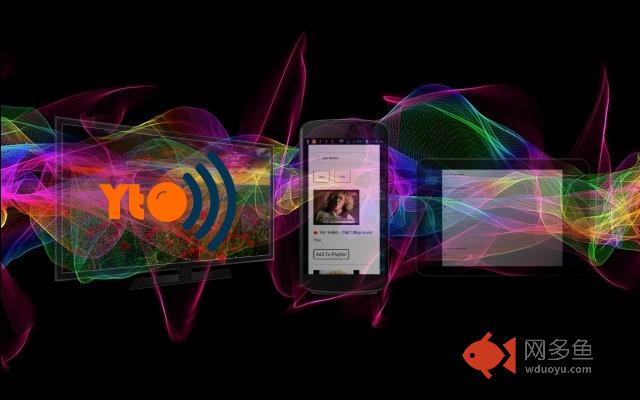
Control YouTube videos remotely from your smartphone, tablet or iPad插件详情
YT2 Remote is a web app designed to remotely control YouTube videos from your smartphone or tablet while playing in full-screen mode on your computer or Smart TV. It works in all web browsers, all operating systems and on all devices.1. Connect two devices to the Internet within the same wireless network - one of them is to be used as a remote control (usually a device of smaller dimensions, like a smartphone or tablet) and the other one as a TV set (usually a larger screen device such as a Smart TV or computer).
2. Log in to the device that you should use as a remote control and search YouTube videos on (mobile, tablet, iPad, computer), open IVARTV.COM, run the app and click https://ivartv.com/search.php.
3. Log in to another device that you should use to watch the videos on (computer, Smart TV), open IVARTV.COM (pay attention to open IVARTV.COM and not YOUTUBE.COM), run the app and click https://ivartv.com/tv.php.
4. After you search for videos on your remote control and click or tap one of the search results, the selected video will take no longer than a few seconds to start playing on the TV screen of the other device.
YouTube videos are either embedded on our website (IVARTV.com), or you can watch them directly on YouTube. It is reasonably to expect that the remote control is only available on IVARTV.com and that you can only manage videos playing on IVARTV.com, but YT2 Remote Chrome extension will enable you to search and play videos while watching them on YouTube too. Despite all the advantages of watching videos on IVARTV.com, you may wish to leave our website and go to YouTube.com at some point. In order to continue managing and playing videos remotely, you will, however, have to go back to our website. You would normally walk up to the computer you are watching the videos on and manually click the "Back" button in your browser. By using the YT2 Remote extension on your TV page and the "Return" button on the search results page on your mobile, you are just a click away from returning to IVARTV.com and managing everything from the distance using your mobile as a remote control without leaving your chair.
Copyright (C) VIDYPS 79 d.o.o. All rights reserved.
其他信息
官方唯一标识:imbclica****************pbacgjja
官方最后更新日期:2018年11月8日
分类:辅助工具
大小:40.82KiB
版本:1.2.75
语言:English (United States)
提供方:https://ivartv.com
星级:5
插件下载
| 下载链接一 下载链接二 |
| Chrome插件离线安装教程 |
温馨提示
本站中的部份内容来源网络和网友发布,纯属个人收集并供大家交流学习参考之用,版权归版权原作者所有。
如果您发现网站上有侵犯您的知识产权的作品,请与我们取得联系,我们会及时修改或删除。
如果您觉得网多鱼对您有帮助,欢迎收藏我们 Ctrl+D。