WebCache
插件截图
插件概述
Want to view a cached website? With WebCache it takes 1 click to view the Google Cache, Wayback Machine, Archive.is, or Coral CDN!插件详情
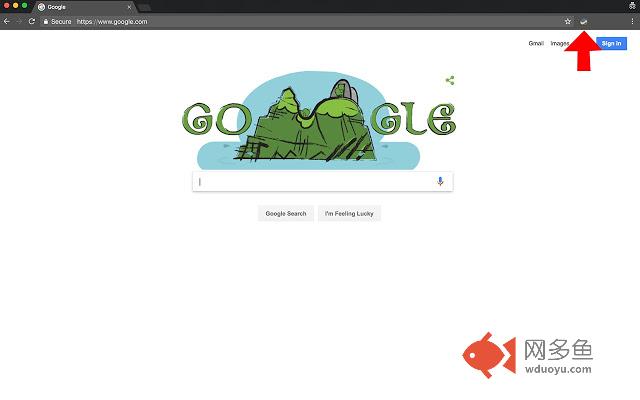
This is a chrome browser extension that allows the user to view a cached version of the current webpage. Set your primary cache as Google Cache, Wayback Machine, Archive.is, or Coral CDN. If what you're looking for isn't found, it'll cycle through the other caches until it finds what you're looking for. There are three ways to use WebCache:1. Click the extension button to view the cached version of the web page
2. Access the cached webpage through the right click menu (enable this setting in the options page)
3. Auto-detect when a webpage is down, and fetch the cached version (enable this setting in the options page)
Source code is available here: https://github.com/Dbz/WebCache
PLEASE REPORT ISSUES/FEATURE REQUESTS HERE: https://github.com/Dbz/WebCache/issues
Change Log:
V 4.1.0
--------
- Wayback Machine URL now takes you directly to the latest snapshot of a page
- Added Archive.is as to the caches
- Code Refactoring
V 4.0.0
--------
- Added right click menu option to view the cached version of a web page
- Re-wrote the HTML/CSS of the options page
- Refactoring of the code base
V 3.5.6
---------
- Fixed a bug where first time installers couldn't use the extension before visiting the options page
Google Cache, Wayback Machine, Coral CDN, cache
其他信息
官方唯一标识:cmmlgikp****************chdlfnjd
官方最后更新日期:2017年9月14日
分类:辅助工具
大小:13.76MiB
版本:4.1.1
语言:English (United States)
提供方:none
星级:3.6
插件下载
| 下载链接一 下载链接二 |
| Chrome插件离线安装教程 |
温馨提示
本站中的部份内容来源网络和网友发布,纯属个人收集并供大家交流学习参考之用,版权归版权原作者所有。
如果您发现网站上有侵犯您的知识产权的作品,请与我们取得联系,我们会及时修改或删除。
如果您觉得网多鱼对您有帮助,欢迎收藏我们 Ctrl+D。