VinSolutions Token Support in Template Links
插件截图
插件概述
Use Vin Tokens in Hyperlinks in Email Templates in VinSolutions CRM.插件详情
vinsolutions CRM only.If you need to use Vin Tokens in hyperlinks in Email Templates you will need to use this Extension when Editing or Adding Templates.
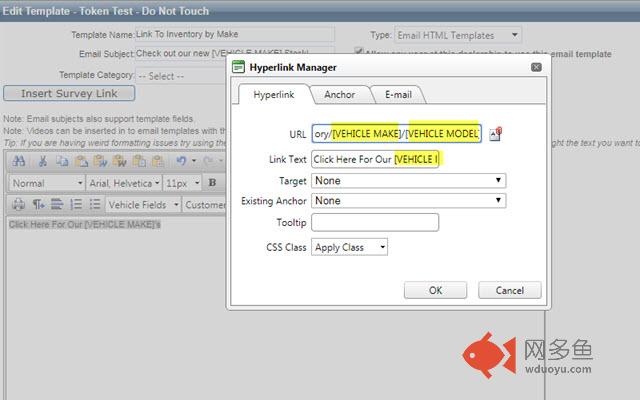
Currently VinSolution's template editor will encode all special characters in the URL of a hyperlink. This is 100% compliant with web standards and normal. However, this causes Vin Tokens IN a hyperlink to break as the Token contains characters necessary to encode to create a valid URL. In order for Vin Tokens to work in hyperlinks those characters must be decoded back to their normal state. This will allow VinSolutions to save the hyperlink with the inserted Tokens then replace with customer specific information once a template is loaded from a customer dashboard.
Example of Usage: A dealer may want to link to their Corvette Inventory in an email if the customer’s Primary Vehicle attached to the lead is a Corvette using the [VEHICLE MAKE] token in a URL.
Directions
Simply install and then Edit email template. Plugin will work in background.
其他信息
官方唯一标识:fnjgpmkl****************hlhnpemj
官方最后更新日期:2019年5月9日
分类:辅助工具
大小:2.6KiB
版本:0.2
语言:English
提供方:none
星级:none
插件下载
| 下载链接一 下载链接二 |
| Chrome插件离线安装教程 |
温馨提示
本站中的部份内容来源网络和网友发布,纯属个人收集并供大家交流学习参考之用,版权归版权原作者所有。
如果您发现网站上有侵犯您的知识产权的作品,请与我们取得联系,我们会及时修改或删除。
如果您觉得网多鱼对您有帮助,欢迎收藏我们 Ctrl+D。