SBNation Ban Hammer
插件截图
插件概述
Hides comments from selected user names插件详情
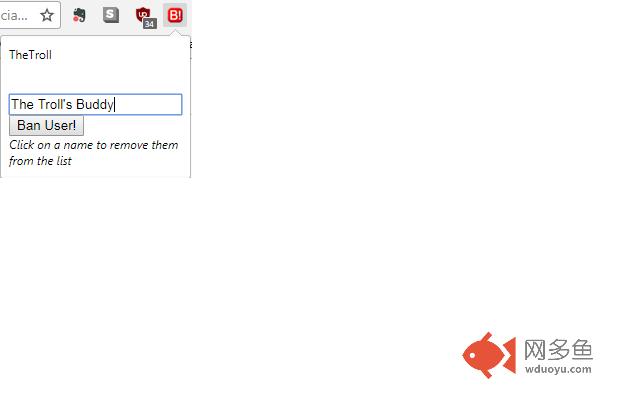
SBNation Ban Hammer! allows you to block comments (and replies) from any users on your favorite SBNation message boards. It's not really a ban, more like a blacklist or block, but it's the next best thing. Make SBNation a fun place to visit and block the trolls.Instructions: Install the extension. When you are on an SBNation blog the B! icon will turn red. This means the extension is active. Click on the red B! icon and add the *exact* username of anyone who you wish to block. Note this will also hide any replies to those users.
Updates:
v1.2.0 - modified to work against "old style" SBNation comment sections
v1.1.3 - modified to include sbnation blogs that do not have sbnation in their URL
Known issues:
Sometimes, after adding a name to be blocked, the comments will not be blocked until the page is reloaded.
This extension does not "re-link" the Z-keypress action. i.e. if 'Z' would have taken you to a comment that is now blocked, it will jump to the top of the page instead. Just keep pressing 'Z' and eventually you will get to a "good" comment.
FIXED in v1.2.0: This extension works on "normal" SBNation blog comment pages. Fanposts use a different commenting system and this extension is not designed to work there.
其他信息
官方唯一标识:ppijmiph****************cnbhifkn
官方最后更新日期:2018年4月18日
分类:辅助工具
大小:28.07KiB
版本:1.2.0
语言:English (United States)
提供方:none
星级:3.7
插件下载
| 下载链接一 下载链接二 |
| Chrome插件离线安装教程 |
温馨提示
本站中的部份内容来源网络和网友发布,纯属个人收集并供大家交流学习参考之用,版权归版权原作者所有。
如果您发现网站上有侵犯您的知识产权的作品,请与我们取得联系,我们会及时修改或删除。
如果您觉得网多鱼对您有帮助,欢迎收藏我们 Ctrl+D。