Pixiv Art Downloader
插件截图
插件概述
Downloads art from Pixiv artists with one click! Supports albums and single images.插件详情
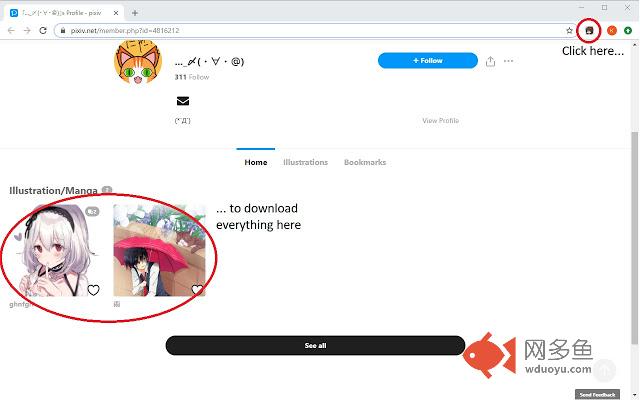
Pixiv Art Downloader lets you download art as you browse through Pixiv. To use, go to the image or album and click Megumin (the extension icon) or press Alt+Shift+V. The extension will download the image or album under the subfolder "Pixiv Art Downloader" in your Chrome downloads folder. The subfolder can be renamed in the options for the extension, or uncheck the box to download directly to the Chrome downloads folder.v1.2.4: Updated extension to work with the latest Pixiv redesign (yet again)! Please check "Automatically allow access on the following sites" under Site access on the extension page.
Notes:
1. The extension downloads images in their original resolution, so make sure you're logged in to Pixiv or the extension won't work.
2. Don't close the Chrome tab before the extension finishes downloading the entire album/artist page or the remaining images will not be downloaded.
3. All thumbnails have to be loaded on an artist page before it can be properly downloaded. Otherwise the images/albums associated with the thumbnails that aren't loaded may not be downloaded.
4. Unfortunately, you cannot change the subfolder outside of the Chrome Downloads directory, so please change your default directory in Settings > Advanced > Downloads Location for Chrome first, then the subfolder in the options menu of the extension.
其他信息
官方唯一标识:ollmjcac****************fgedoalk
官方最后更新日期:2019年4月17日
分类:辅助工具
大小:36.01KiB
版本:1.2.4
语言:English
提供方:none
星级:3.2
插件下载
| 下载链接一 下载链接二 |
| Chrome插件离线安装教程 |
温馨提示
本站中的部份内容来源网络和网友发布,纯属个人收集并供大家交流学习参考之用,版权归版权原作者所有。
如果您发现网站上有侵犯您的知识产权的作品,请与我们取得联系,我们会及时修改或删除。
如果您觉得网多鱼对您有帮助,欢迎收藏我们 Ctrl+D。