Japanese character selector
插件截图
插件概述
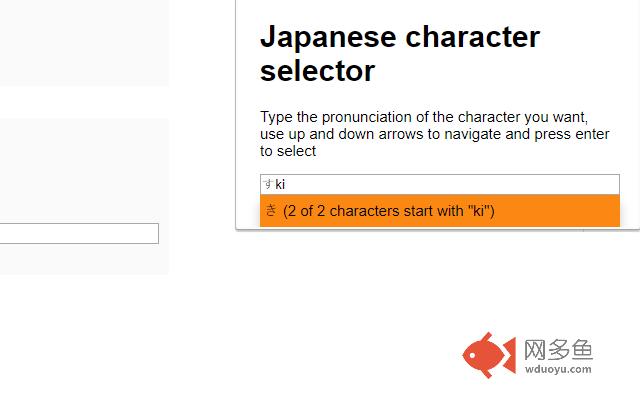
This extension allows the user to type Japanese katakana and hiragana characters without downloading an IME.插件详情
This extension allows you to type hiragana and katakana characters without downloading an IME.To use:
Type the pronunciation of the character you want into the input field, use up and down arrows to navigate and press enter to select.
Change notes below:
Truth be told I had no idea that people were actually using this and had only chanced upon the comments in the reviews this morning while I was trying to publish one of a couple of terrible themes that I use while I'm at work.
The comments were all absolutely valid and I felt pretty bad that I hadn't addressed them sooner so I got working as soon as I got home. Please feel free to let me know what you think!
- Added a method to restrict the character set to only use hiragana or katakana
- Made exactly-matched characters appear first in the selection
- Refactored the code to be only slightly better than it was when I initially made this
其他信息
官方唯一标识:jooepnap****************jbamicen
官方最后更新日期:2019年4月11日
分类:辅助工具
大小:35.68KiB
版本:1.3
语言:English
提供方:none
星级:3.3
插件下载
| 下载链接一 下载链接二 |
| Chrome插件离线安装教程 |
温馨提示
本站中的部份内容来源网络和网友发布,纯属个人收集并供大家交流学习参考之用,版权归版权原作者所有。
如果您发现网站上有侵犯您的知识产权的作品,请与我们取得联系,我们会及时修改或删除。
如果您觉得网多鱼对您有帮助,欢迎收藏我们 Ctrl+D。