Hot Tab 2.0
插件截图
插件概述
Adds awesome hotkeys to move, pin, and close tabs插件详情
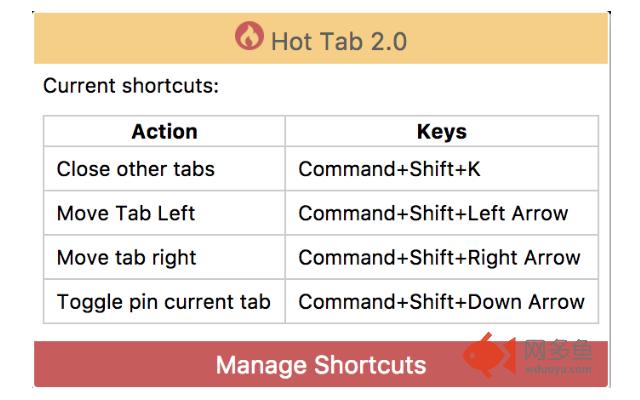
Updates:You can now see all registered shortcuts by clicking the toolbar icon.
You can now change the keyboard shortcuts by clicking on the app icon and clicking "Mange Shortcuts"
I got sick and tired of not being able to move my tabs left or right by use of hot keys (which, to me, seems like a feature that should be natively available in Chrome). Anyway, I've added hotkey support through this extension. Hot keys are registered by default as such:
Move Left: Cmd/Ctrl+Shift+Left
Move Right: Cmd/Ctrl+Shift+Right
Pin/Unpin Tab: Cmd/Ctrl+Shift+Down
Close other tabs: Cmd/Ctrl+Shift+K
Please leave feedback if you have any problems/ideas.
其他信息
官方唯一标识:odmmgahb****************idkhemmg
官方最后更新日期:2017年8月22日
分类:辅助工具
大小:15.34KiB
版本:2.0.1
语言:English
提供方:none
星级:5
插件下载
| 下载链接一 下载链接二 |
| Chrome插件离线安装教程 |
温馨提示
本站中的部份内容来源网络和网友发布,纯属个人收集并供大家交流学习参考之用,版权归版权原作者所有。
如果您发现网站上有侵犯您的知识产权的作品,请与我们取得联系,我们会及时修改或删除。
如果您觉得网多鱼对您有帮助,欢迎收藏我们 Ctrl+D。