enfu.se
插件截图
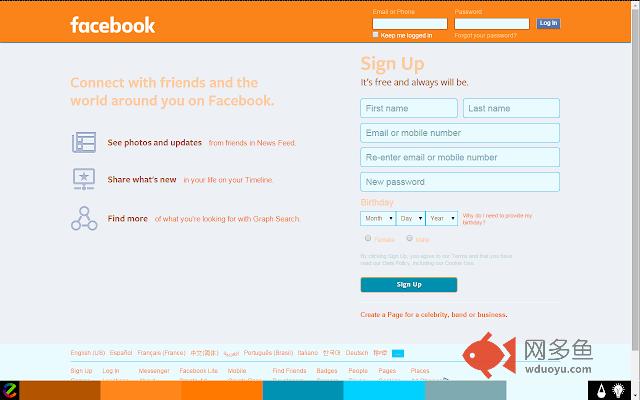
插件概述
Paint the web插件详情
any site, any color. you decide.At enfu.se we focus on one thing, keeping it simple. While the software we have built is quite complex behind-the-scenes, we will never pass that on to you. Our one-click system allows visitors to apply custom colors to any site with one click.
The extension is built to aid those with IRLENS and color blindness, but that doesn't mean enfu.se can't be fun. Our software provides a paint brush to artists, students and internet users looking to change the colors of websites they visit. Point. Click. Paint.
INSTRUCTIONS:
Painting-
After installing the Chrome extension you will see our signature (e) icon appear in the bottom left of your screen. Click the icon to enable the tray, click a circle in the tray to paint.
Custom Drops-
To create your own color drops, click the paint droplet icon when the tray is open. Observe the seven color tiles, select a tile, choose a color from the color picker, click "ok". Once a color is changed the page will refresh. When you are happy with the color, click the paint drop icon again. You will notice the new color drop you created is now in your tray.
Reset-
Are the painted colors not working properly on a specific site or just want to flip back to the default website? With the tray open, click the light-bulb icon once to clear the applied colors for the domain you are on.
Turn Off-
Trying to make the (e) icon go away for a while? In the top right of your browser, you should see our (e) icon (up by the URL bar). Click that icon, toggle the switch to off.
其他信息
官方唯一标识:ohnkjigf****************ideeafbf
官方最后更新日期:2015年8月15日
分类:辅助工具
大小:130KiB
版本:∞
语言:English
提供方:enfu.se
星级:4
插件下载
| 下载链接一 下载链接二 |
| Chrome插件离线安装教程 |
温馨提示
本站中的部份内容来源网络和网友发布,纯属个人收集并供大家交流学习参考之用,版权归版权原作者所有。
如果您发现网站上有侵犯您的知识产权的作品,请与我们取得联系,我们会及时修改或删除。
如果您觉得网多鱼对您有帮助,欢迎收藏我们 Ctrl+D。