Copy Tabs
插件截图
插件概述
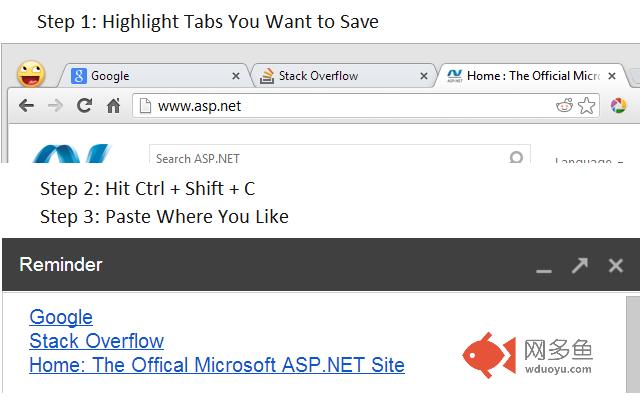
Creates a keyboard shortcut (Ctrl + Shift + C) which copies links for selected tabs插件详情
Saving a large number of tabs can after a particularly fervent browsing session can sometimes be quite a hassle. Copy and pasting back and forth between your browser and text field.Now you can copy the web url and web page title as one single formatted link for every highlighted tab in the current window.
In chrome, you can highlight multiple tabs the same multiple selection is typically handled, either by holding down control and selecting individual tabs or shift to select a range.
Using the new keyboard shortcut, Ctrl + Shift + C, add all the links to your clipboard and paste them wherever you like with the standard paste operation.
You can follow or fork the extension at GitHub
https://github.com/KyleMit/ChromeCopyTabs
All code is open source and protected by the MIT developer licence (c) 2013 Kyle Mitofsky
其他信息
官方唯一标识:efmfdbco****************lheclbeo
官方最后更新日期:2013年7月17日
分类:辅助工具
大小:60.64KiB
版本:0.1
语言:English
提供方:codingeverything.blogspot.com
星级:1.4
插件下载
| 下载链接一 下载链接二 |
| Chrome插件离线安装教程 |
温馨提示
本站中的部份内容来源网络和网友发布,纯属个人收集并供大家交流学习参考之用,版权归版权原作者所有。
如果您发现网站上有侵犯您的知识产权的作品,请与我们取得联系,我们会及时修改或删除。
如果您觉得网多鱼对您有帮助,欢迎收藏我们 Ctrl+D。