Close This Tab
插件截图
插件概述
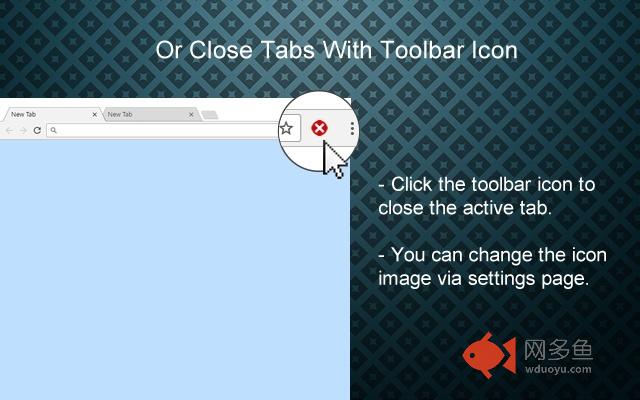
Allows you to easily close the active tab by either clicking on in-page closer (left border of the page) or the toolbar icon.插件详情
Allows you to easily close the active tab by either clicking on in-page closer (left border of the page) or the toolbar icon.More easy and fast way to close tabs.
Version 2.0 is here.
v2.0 Changelog:
------------------------
• Extension name is renamed to 'Close This Tab'.
• New Options/Settings page.
• New in-page closer positions added.
• You can change thickness of the in-page closers.
• Toolbar icon is added. Clicking to the toolbar icon will close the active tab.
• You can change toolbar icon image.
• Multi language support is added, so please help to translate.
• Preferences synced with Chrome (if signed in).
Features:
---------------
• You can close tab by clicking in-page closer or toolbar icon.
• In-Page closer only appears when you move the mouse cursor to the selected edge of the active window.
• You can change the features of in-page closer, like hover color, thickness, click event type and position.
• Alternatively, toolbar icon can close tabs.
Limitations:
------------------
Since Chrome is not allowing, In-Page closers could not be embedded into the following pages:
chrome:// - chrome-extension:// - chrome-devtools:// - view-source: - data: - chrome.google.com/webstore/ - New tab page.
But, toolbar icon will work on all pages without any limitation.
Note on permissions:
--------------------------------
• "Read and change all your data on the websites you visit" - That is necessary to insert In-Page closers to pages. I do not read YOUR data from any website, nor do i modify it.
其他信息
官方唯一标识:jhkchagi****************gknddeeg
官方最后更新日期:2018年5月29日
分类:辅助工具
大小:122KiB
版本:2.0.5
语言:支持4种语言
提供方:none
星级:5
插件下载
| 下载链接一 下载链接二 |
| Chrome插件离线安装教程 |
温馨提示
本站中的部份内容来源网络和网友发布,纯属个人收集并供大家交流学习参考之用,版权归版权原作者所有。
如果您发现网站上有侵犯您的知识产权的作品,请与我们取得联系,我们会及时修改或删除。
如果您觉得网多鱼对您有帮助,欢迎收藏我们 Ctrl+D。